George In The Meta
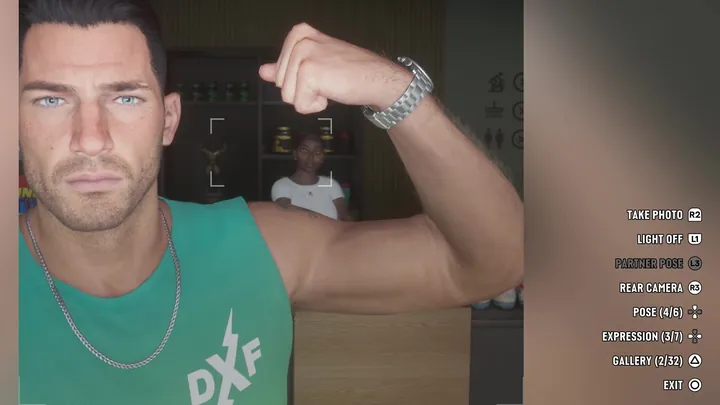
How do you take a selfie in GTA 6? Open the Camera app, press R3
 By George In The Meta ·
Short answer: to take a selfie in GTA 6, get your phone out, open the Camera app, press R3 to flip to the front camera, then press R2 to take the photo. On PS5 the selfie screen also puts Pose and Expression on the d-pad, a light on L1 and Partner Pose on L3, and Triangle opens your Gallery.
I worked it out at the gym on my 28 November stream, playing as Jason. I didn't think I'd taken a single photo yet, so I had to go looking for the camera myself.
How do you take a selfie in GTA 6?
You take a selfie in GTA 6 with the phone's own camera, flipped round. This is how it went on my run:
- Get your phone out. In the game's PS5 control scheme, up on the d-pad is Cellphone.
- Move along the apps to the camera icon. On my phone it was the first icon in the second row, and the label at the bottom of the screen read Camera once it was picked. Press Cross to select it.
- The camera opens facing away from you. Press R3, which the prompts call Selfie, to turn it round.
- Pick a pose and an expression on the d-pad, then press R2 to take the photo.
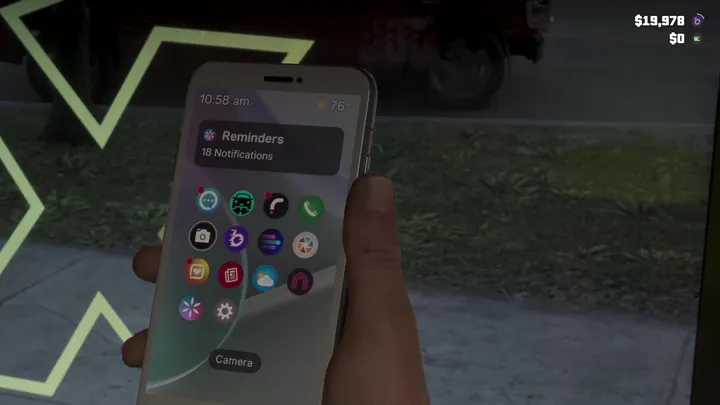
What are the GTA 6 phone camera controls?
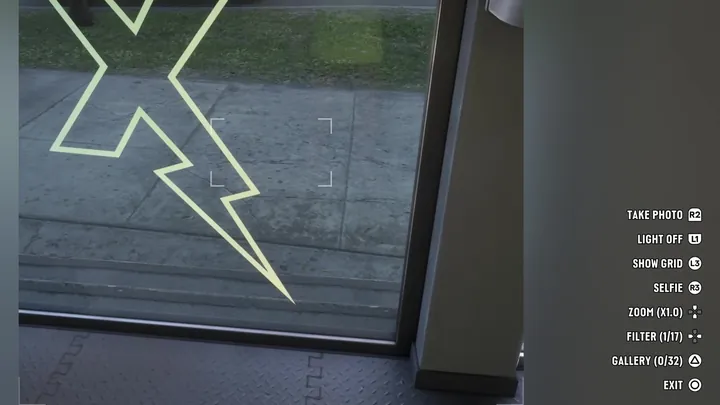
The GTA 6 phone camera has two sets of controls, one for each way round. These are the prompts on my PS5, read straight off the screen:
| Button | Rear camera | Selfie camera |
|---|---|---|
| R2 | Take Photo | Take Photo |
| L1 | Light Off | Light Off |
| L3 | Show Grid | Partner Pose |
| R3 | Selfie | Rear Camera |
| D-pad | Zoom (x1.0) and Filter (1/17) | Pose (6) and Expression (7) |
| Triangle | Gallery | Gallery |
| Circle | Exit | Exit |
So R3 swaps between the two, and the d-pad does different jobs: zoom and 17 filters on the rear camera, poses and faces on the selfie one.
How do you pose in a GTA 6 selfie?
You pose with the d-pad. The selfie screen counts them: on mine there were 6 poses and 7 expressions. Pose 4 was Jason flexing his arm, pose 2 a hang-loose hand, and I flicked through the expressions until he was showing his teeth.
Partner Pose, on L3, was greyed out. I was on my own in the gym without Lucia, so I'd guess it needs her next to you, but I haven't tried it with her yet.
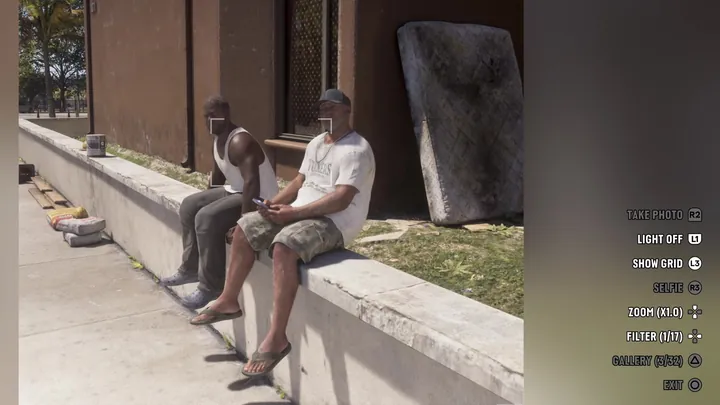
The rear camera works on other people too. Later in the same stream I turned it on two guys sitting on a wall outside an apartment block.
Where do your photos go in GTA 6?
Your photos go to the Gallery, which is Triangle on both cameras. Its counter went from 0/32 when I opened the camera to 3/32 after I'd taken a few, so each photo seems to add one. I didn't open the Gallery on stream, so I can't tell you what you can do with the photos from there, and I don't know whether 32 is a limit.
Is there a selfie mode in GTA 6?
Not a separate one that I found. The selfie is the phone's Camera app with R3 pressed, and the poses and expressions only show up once it's facing you. The phone has a Snapmatic app as well, but that's the social feed I've used to find people to rob, not the camera.
Related
- What are the GTA 6 controls on PS5? Here's the Default layout
- How do you rob people from Snapmatic in GTA 6?
- GTA 6 workouts: why did my bench press set fail?
GTA 6 clips from stream
- GTA 6 Live: Story Playthrough, Street Races and Stunt Jumps in Vice City | PS5
- GTA 6 Live: Story Playthrough, Side Jobs and Gym Gains in Vice City | PS5
- GTA 6 Live: Story Playthrough, Robberies and Side Jobs in Vice City | PS5
Clips load from YouTube only when you press play.