George In The Meta
How do you use auto drive in GTA 6? Only in cinematic camera
 By George In The Meta ·
Short answer: auto drive in GTA 6 only works through the cinematic camera. Set a destination on the map, get in a car, open the driving menu and pick Cinematic, then hold Circle when Enable Auto Drive shows in the bottom right. L2 and R2 change the speed, and Circle turns it off again.
I couldn't get it going at first on my PS5 stream on 27 November. Early on I wanted a self-drive button and couldn't remember what it was. Later I went looking properly, found Auto Drive in the settings and switched it to Unrestricted, and still couldn't start it. About a quarter of an hour after that, I had it going through the cinematic camera, and that was the only way I ever got it to work.
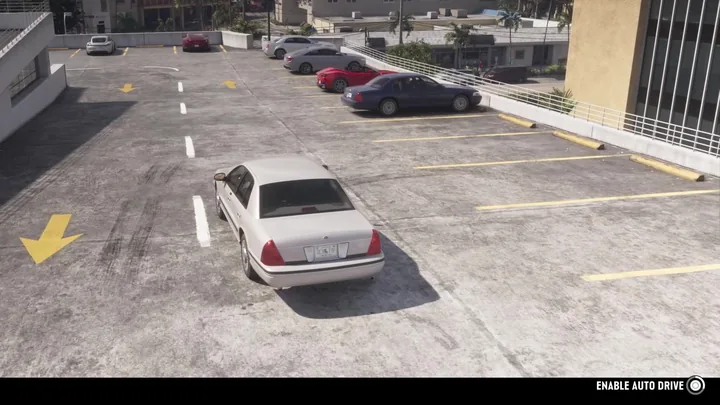
How do you turn on auto drive in GTA 6?
You turn on auto drive in GTA 6 from the cinematic camera, with a destination already set. On my run it went like this:
- Open the map and set a destination. The map's prompt is Set Destination on Cross. Mine was 2.31 miles away.
- In the car, open the driving menu. Zero1Gaming's steps say to hold Down on the D-pad. Mine showed Remove Destination (Circle), Cinematic, Markers (L1 and R1) and Camera 1/2/3 (Square) in the bottom right.
- Pick Cinematic: Zero1Gaming says that's Options on PS5. The picture goes letterboxed, the camera cuts between angles, and Enable Auto Drive appears on Circle.
- Hold Circle, as Insider Gaming's guide says. The prompt changes to Speed 1/2/3 on L2 and R2, with Disable Auto Drive on Circle. Mine started on speed 2.
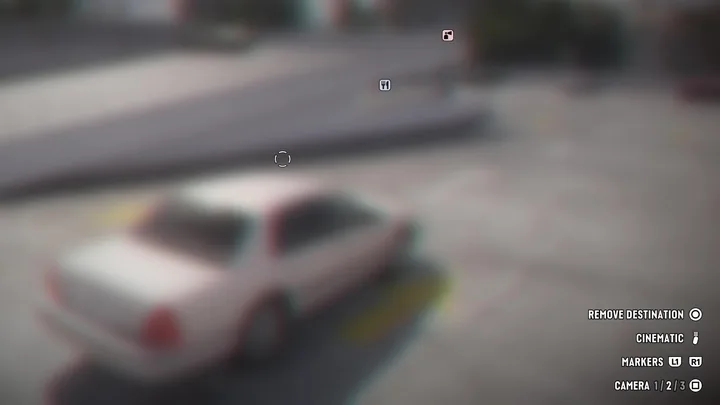
If the prompt doesn't come up, Pro-Gamer's guide says to press the accelerator lightly until Enable Auto Drive shows. To leave the cinematic camera, the game's own tip is to hold Down on the D-pad.
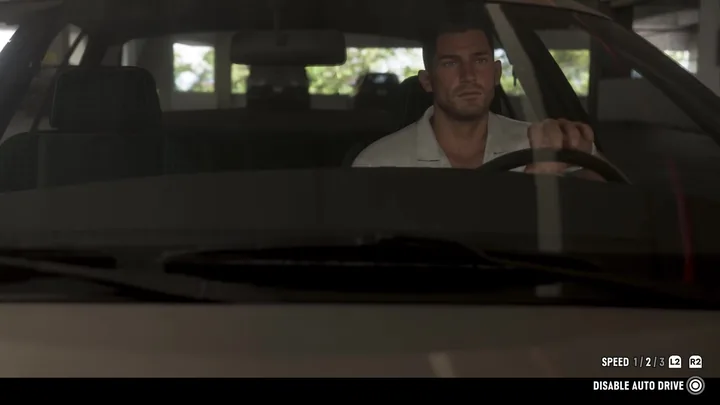
Why can't you use normal auto drive in GTA 6?
You can't use auto drive in GTA 6 outside the cinematic camera, because there's no normal version of it. The game says so in its own setting text: "Drives you automatically to your set destination. Auto Drive can only be enabled when in cinematic camera."
That was my whole problem. I could only get the cinematic one to work and didn't know how to make a normal auto drive work, and it turns out cinematic is the only one there is. If you just want someone else at the wheel, the partner menu has a You Drive option when Jason and Lucia are together, but in my experience the partner is a slow driver.
What does Unrestricted auto drive do in GTA 6?
Unrestricted auto drive in GTA 6 lets it run in situations the Restricted setting won't. It's in Settings, on the Gameplay tab, just under Simplified Mini Games, the same tab where you'll find the aim assist settings. Mine was on Restricted, which the game describes as "Only available in safe scenarios." I switched it to Unrestricted: "Available in all scenarios, including situations that are less safe or may lead to collisions."
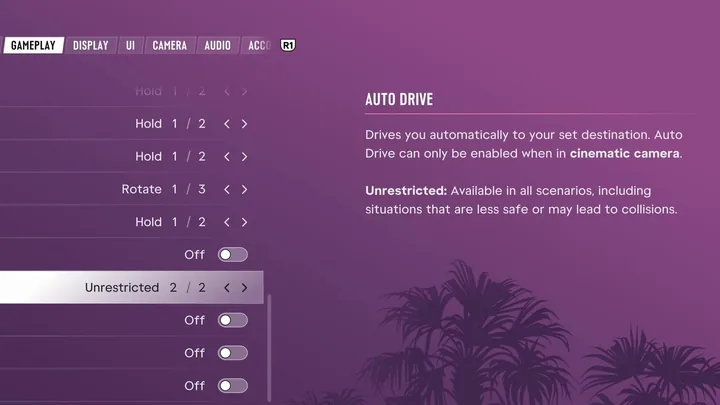
I changed it before I got auto drive working, so I can't tell you whether Restricted would have done the same drive. The guides don't agree on whether you need it. PowerPyx makes Unrestricted step one and says it lets auto drive work anywhere. Zero1Gaming says Restricted is generally enough for ordinary roads, and Unrestricted lets it work away from public roads and during some police chases. Insider Gaming's steps don't mention the setting at all.
How long does auto drive take in GTA 6?
Auto drive in GTA 6 takes a while. My destination was 2.31 miles away when I opened the cinematic camera, and it took just under eight minutes to get there. At first I liked being driven. At one junction the car sat at the line long enough that I asked why he wasn't driving, and by the end I'd had enough:
"Bro, this cinematic drive, no lie, is taking all of the time in the entire world."
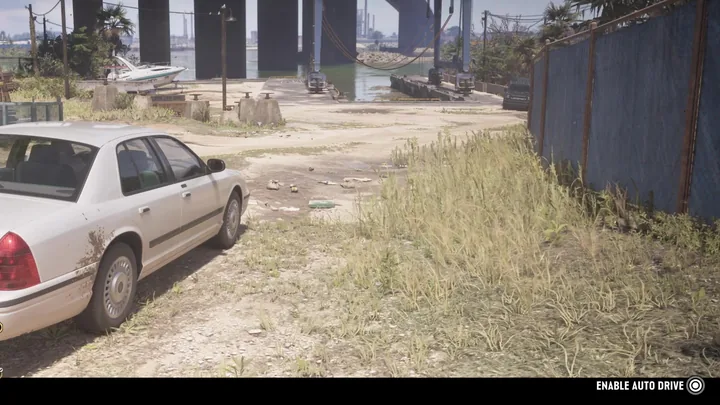
Insider Gaming says the driver never breaks a signal or any traffic rule, which fits the stopping I saw. It's free, at least. When it got there, the car stopped at the destination, a boatyard under a bridge, and the prompt went back to Enable Auto Drive.
Does auto drive work on boats in GTA 6?
I didn't find out on my run. Later in the same stream I had four miles to go by boat with Lucia, wanted auto drive again, figured it maybe didn't work in a boat, and drove it myself. The guides say it does: PowerPyx says auto drive works with cars and boats but not planes or helicopters, and SlashGear says it won't take a boat onto land or a car into water, and stops at the edge instead. So no help if you're flying a plane.
Related
- Can you play GTA 6 co-op as Jason and Lucia? No
- Does GTA 6 have aim assist? Yes, mine was set to Partial
- Where did my car go in GTA 6? Call Joey
- Can you fly planes in GTA 6? Yes, landing is the hard part
GTA 6 clips from stream
Clips load from YouTube only when you press play.