George In The Meta
How do you hide the UI in WoW Forever? I keep just the minimap
 By George In The Meta ·
Short answer: WoW Forever has its own key binding for it, Toggle User Interface, and that hides everything. I run my own add-on on top of it, so when the UI goes, the minimap stays. None of the rest of the UI is on screen while I'm running around, and I turn the full layout back on to fight.
That's how I got around Redridge on 27 November, on my level 26 paladin. With the UI off I just ran around, and it's way nicer. To me it makes the screenshots look way better too.
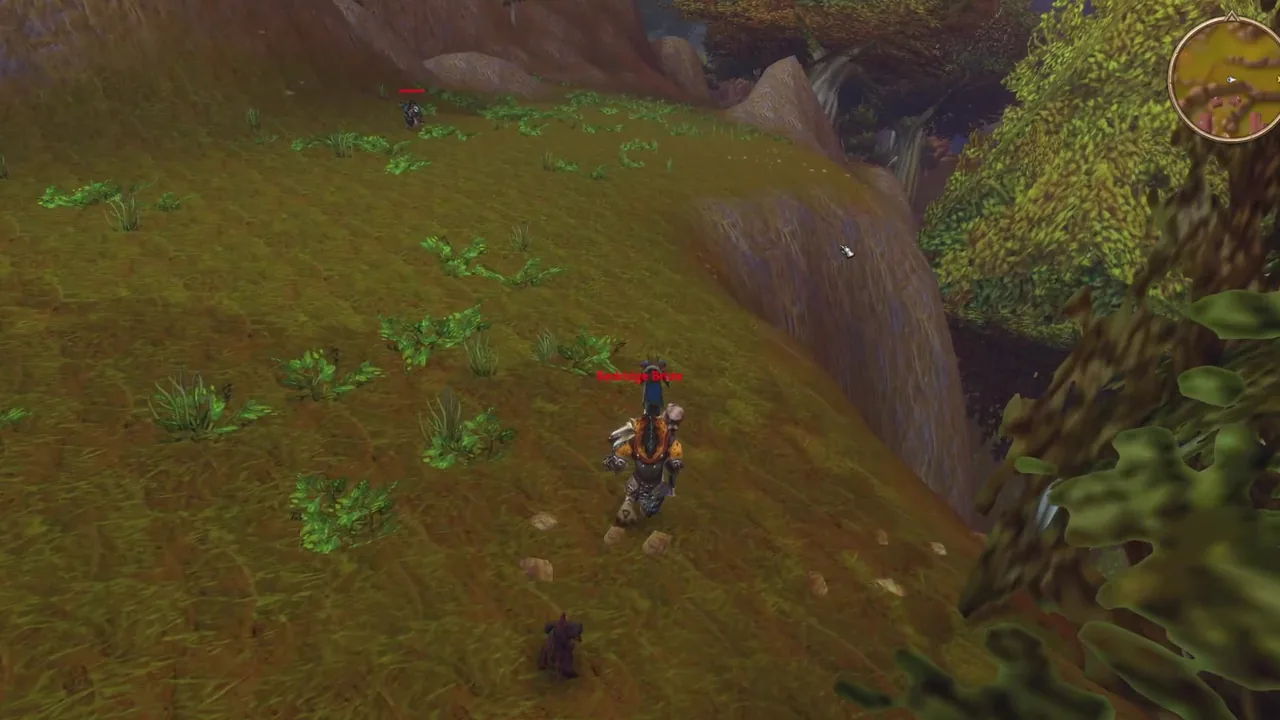
How do you hide the HUD in WoW Forever?
You hide the HUD in WoW Forever with the Toggle User Interface key binding. Forever's current game files put it in the Miscellaneous group of key bindings. Pressing it closes any open windows and hides the whole interface, and pressing it again brings everything back. With the stock game that takes the lot, the minimap included, because the minimap sits inside the same interface.
This is what my screen looked like a few seconds before I hid it, on the same hillside:
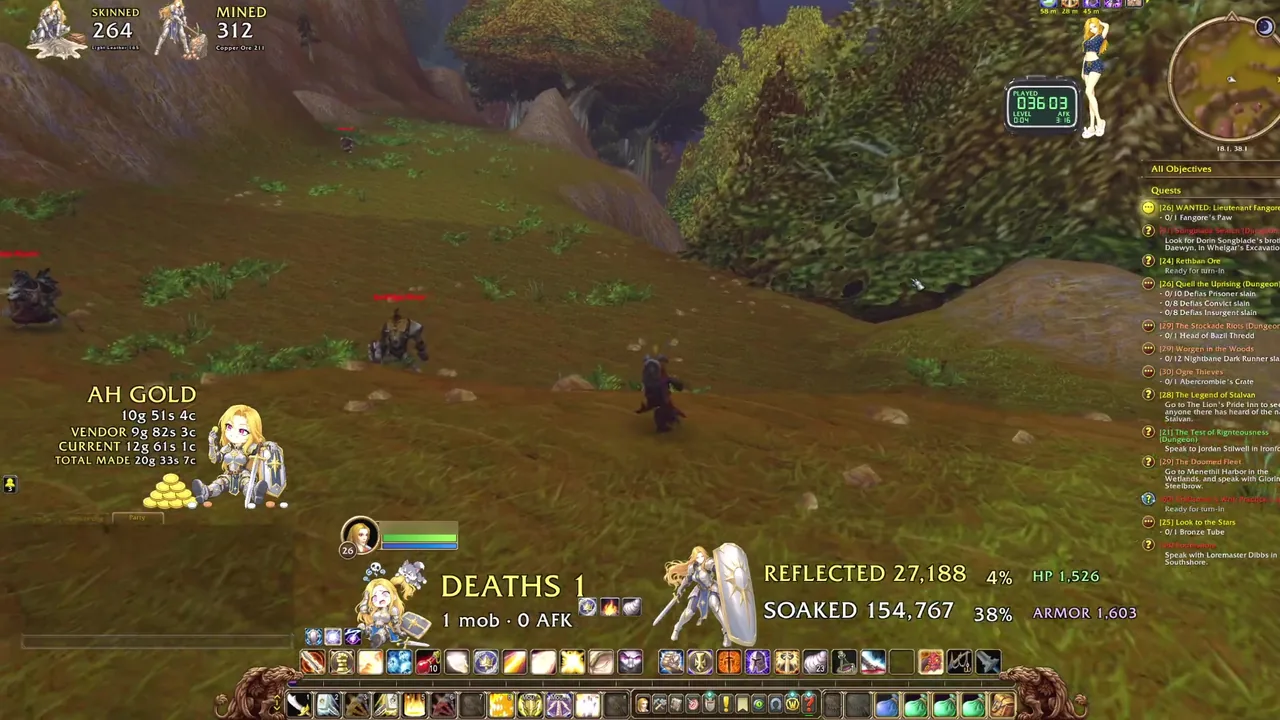
A lot of that clutter is mine. The gold, deaths and played time panels are my own add-ons, so hiding the UI hides them as well.
What is the hide UI keybind in WoW Forever?
The binding is called Toggle User Interface in WoW Forever's game files. The files don't say which key it starts on, and no guide written for Forever since launch that was checked for this page names one either, so this page doesn't guess. Look for Toggle User Interface in your key bindings, under Miscellaneous, to see or change yours.
I moved mine to the left arrow key, so it's one tap to go clean and one tap to get it all back.
Can you hide the UI but keep the minimap in WoW Forever?
Not with the stock toggle, but that's why I made an add-on. With it, when the UI is hidden, the minimap stays exactly where it normally sits, with its tracking blips still on it. The zone name and the buttons around the minimap stay hidden with everything else. When I bring the UI back, the minimap goes back to normal.
The same add-on handles the world map. With the UI hidden, my map key (M on my setup) opens the map on its own and Escape closes it, without the rest of the HUD coming back.
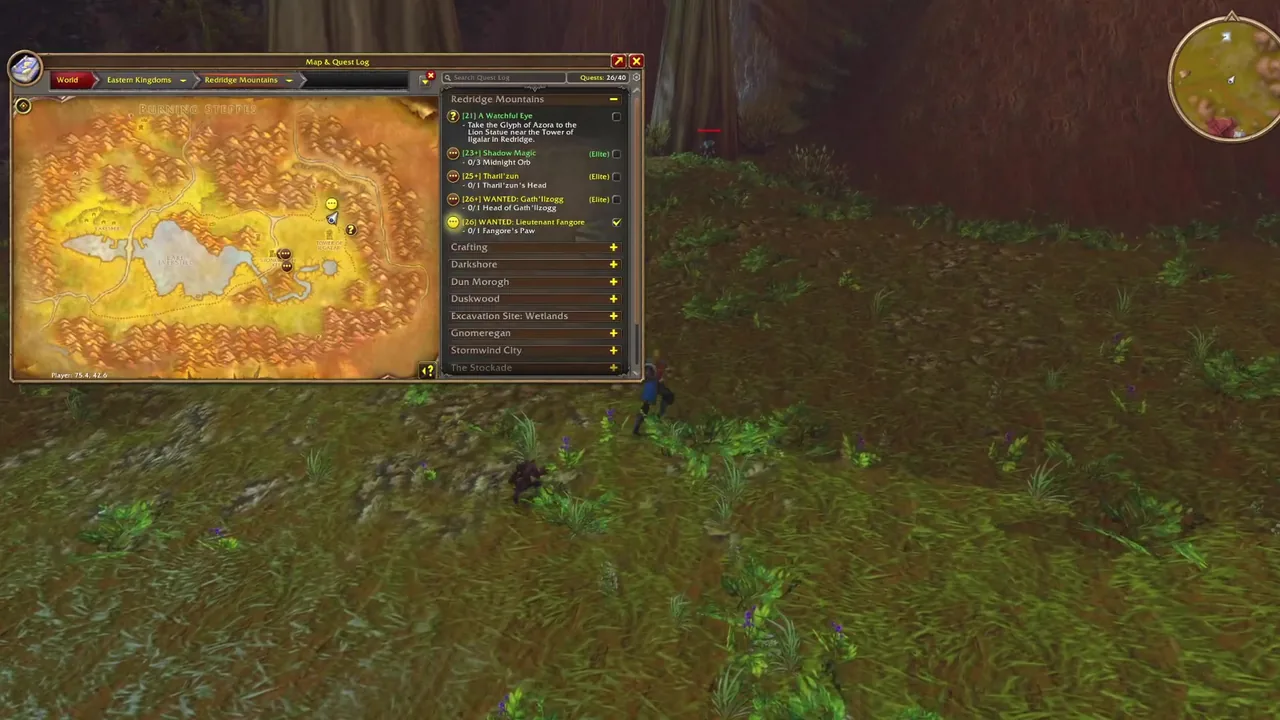
On my screen, enemy names over mobs and damage numbers still showed with the UI hidden, so I could see what I was running into.
Is there a hide UI add-on for WoW Forever?
Mine isn't public yet. It's part of my own set of add-ons, the same ones behind my campfire buff reminders and the panels that came across fine at launch. If there's interest in this page, I could always make it a public add-on, because it does make the game look so clean.
Until then, the stock toggle gets you most of the way. You just lose the minimap while it's off.
Can you play WoW Forever with the UI hidden?
Not really, not for fighting. I turn the full layout back on when I'm fighting, and keep it hidden when I'm running around. That day I had it off for nearly four minutes while I ran through Redridge, then had it back on for a fight with a level 24 Shadowhide Brute in Galardell Valley.
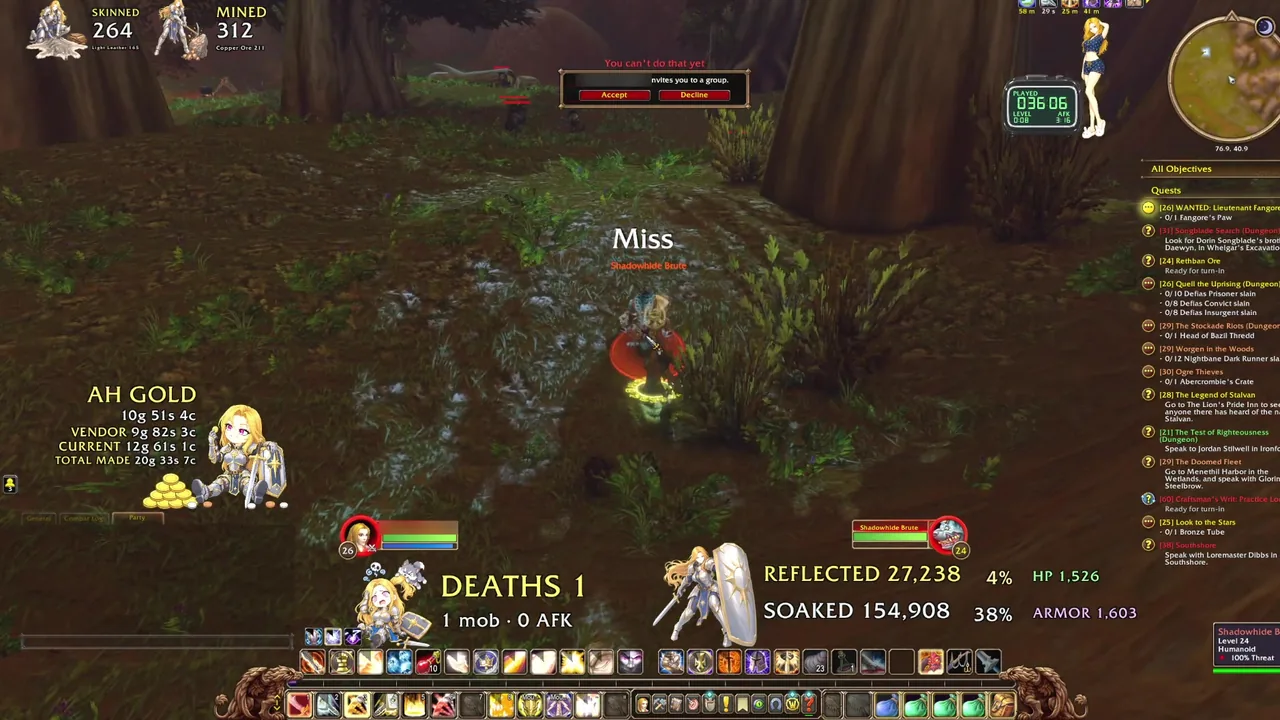
How do you hide the UI for screenshots in WoW Forever?
Hide it with Toggle User Interface, then take the screenshot. Forever's key bindings have a separate Screen Shot binding in the same Miscellaneous group, and I put mine on the down arrow, next to my hide key. With my add-on running, the minimap is the only part of the UI left on screen.
Related
- Which WoW Forever campfire buffs are worth it?
- Did I have to queue for WoW Forever at launch?
- Where should you quest at level 18 in WoW Forever as Alliance?
- What does First Aid make in WoW Forever? Healing potions too
WoW Forever clips from stream
- Second death in World Of Warcraft Forever #gitm
- WoW Forever: Stitches Ambush, Darkshire Cooking and Starving Wolves | Human Paladin Level 24
- Trying to Sell My Junk to the Quartermaster in WoW | World of Warcraft #gitm
- [ทำไมคิดเยอะ just fight him | World of Warcraft] #gitm
- [ร้องเพลง WoW แทนเล่น... Annie Are You Ok | World of Warcraft] #gitm
- World of Warcraft got me like this at 2am 🥱 #gitm
Clips load from YouTube only when you press play.