George In The Meta
What happens when you hit the Family Savings goal in GTA 6?
 By George In The Meta ·
Short answer: the first Family Savings goal in GTA 6 is $5,000, and once you hit it, the app won't let you put any more in for now. You get a few texts congratulating you, and games.gg's Family Savings guide says each savings goal you hit raises your checking limit and can unlock a discount.
I maxed mine out on stream as Lucia, with the cash from a run of store robberies.
How do you put money in Family Savings in GTA 6?
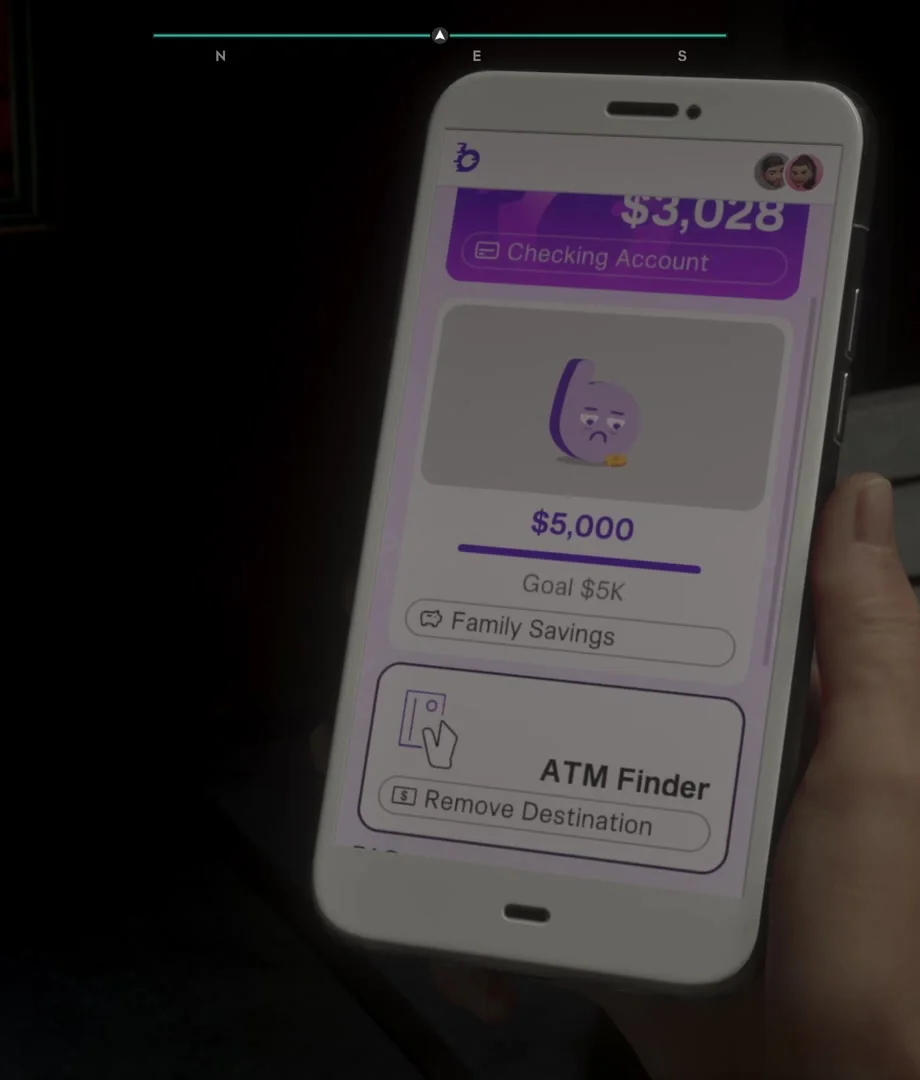
To put money in Family Savings in GTA 6, open the BuckMe app on your phone, pick Family Savings and choose Buck Yourself. It moves money from your checking account, so cash has to go into BuckMe first, at an ATM.
Before it goes through, the app warns you: "You will not be able to withdraw once transferred. Are you sure?" It means it. Money in Family Savings stays there.
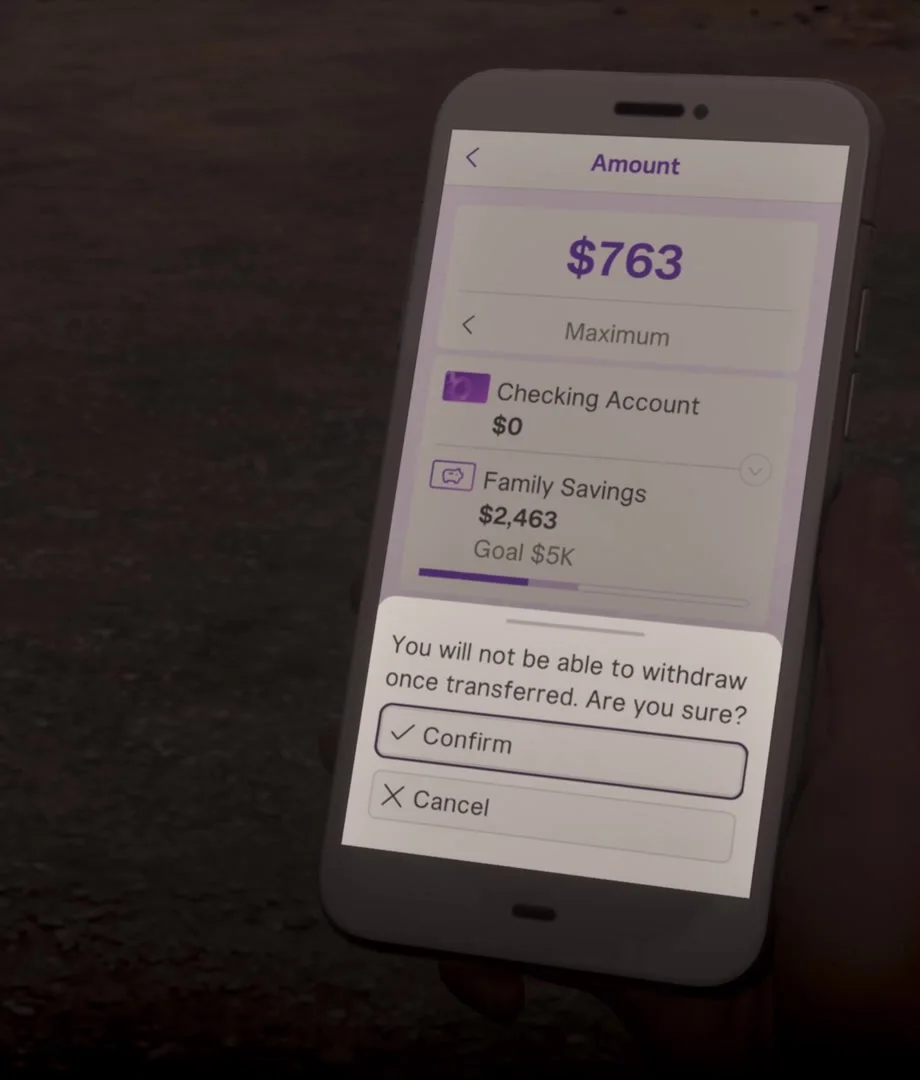
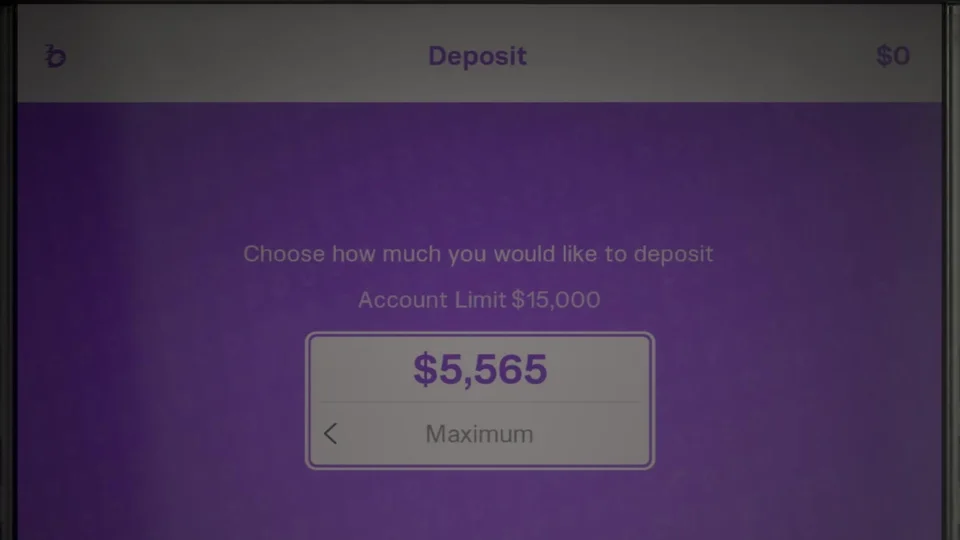
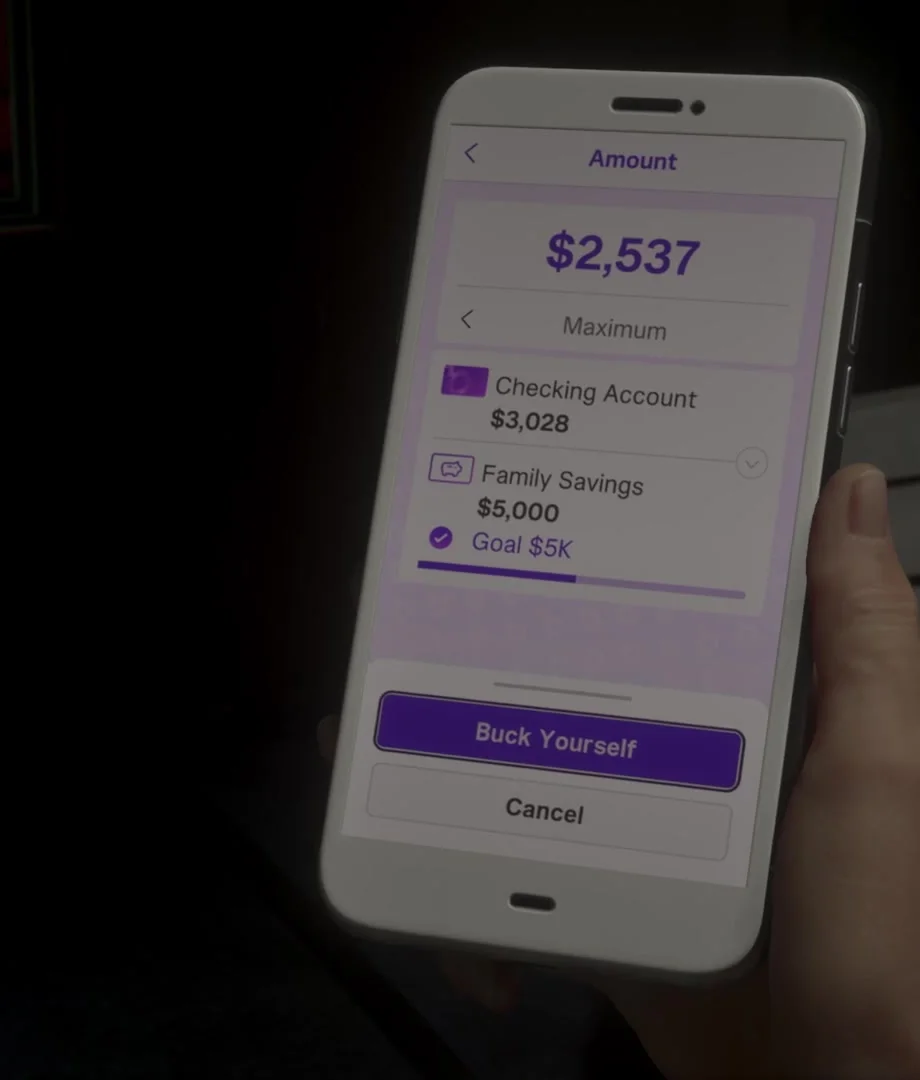
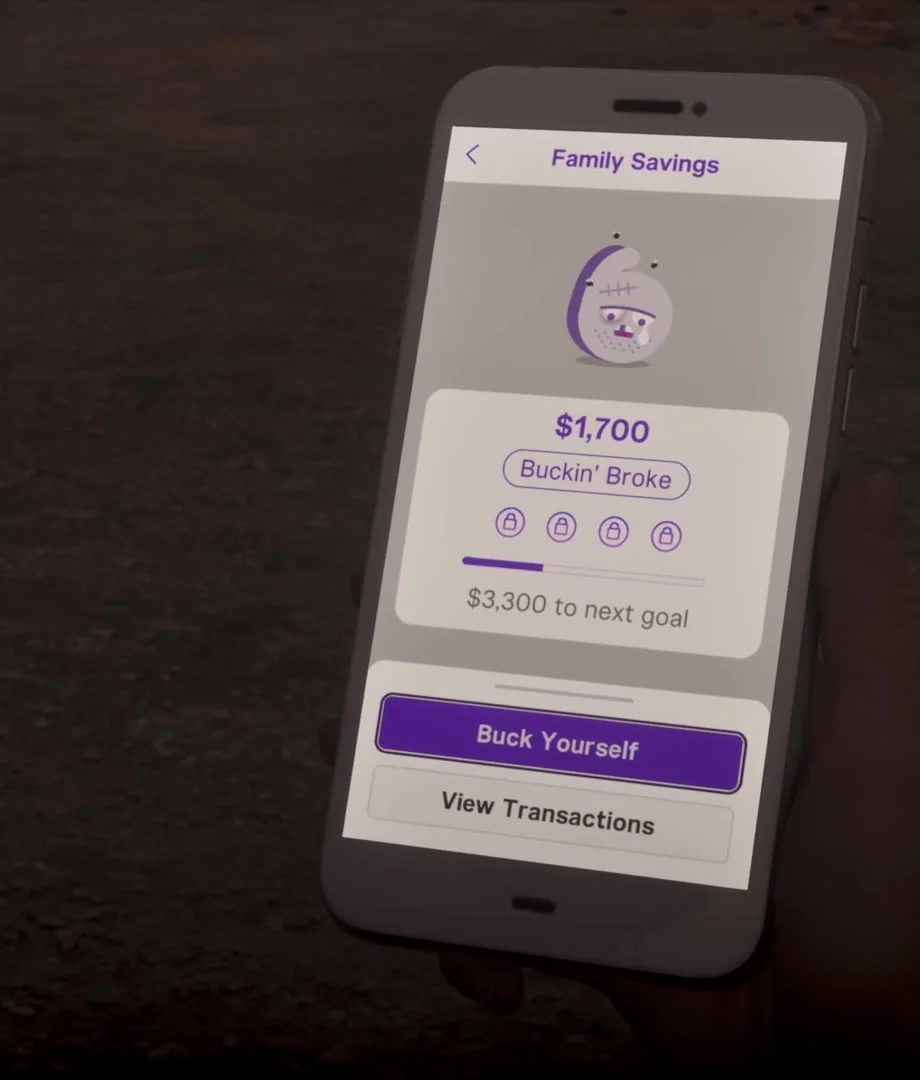
Mine went in two steps. I started with $1,700 saved and "$3,300 to next goal", and moved my $763 of checking across to make $2,463. Then I paid $5,565 into the ATM at the motel and Bucked myself the rest.
Can you max out Family Savings in GTA 6?
Yes, for now. I had $5,565 in checking, but the most the app would let me move was $2,537, which is exactly what took Family Savings to $5,000. The Amount screen showed it as the Maximum. After that the app showed $5,000 and "Goal $5K" with a tick, and no new goal.
The Family Savings screen hints at what's next. At $1,700 it called my level Buckin' Broke, with four locked badges after it.
games.gg says new savings goals appear as you progress through the story, so I'd expect the cap to lift later. Their tier table lists $10,000 as the next goal.
What happens when you hit the Family Savings goal?
You get texts. Lucia messages Jason "We hit $5k in savings", Jason replies "That's something babe. Look at us all responsible.", and an unknown number sends "Congratulations on meeting your FAMILY SAVINGS goal! Keep Bucking for your..."
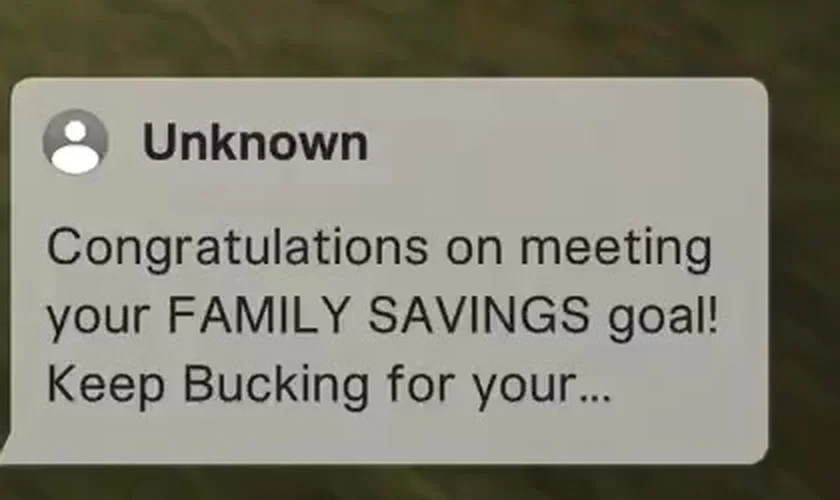
There's no cash prize. games.gg's guide says reaching a goal does not pay cash; it raises your checking limit, and some tiers add a price cut. I can't confirm the limit from my run: the ATM already said Account Limit $15,000 before I hit $5,000, and I didn't check it after.
Is Family Savings worth it in GTA 6?
I think Family Savings is worth it in GTA 6 for money you won't need soon. It's the one pot you can't spend, but it's also the one you can't lose. Cash in your pocket goes when you die, and Family Savings seems to survive the reset at the start of Chapter 2 that wipes your cash and BuckMe.
The catch is that it's locked. Only move what you're happy never to spend, and keep enough in checking for guns and cars.